IMPORTANT: To download from Dropbox, you do not need to have an account or pay for a subscription. This tutorial will help show you how.
- Click or copy and paste the Dropbox download link to open it in your browser
- If Dropbox gives you a pop-up to log in, click the link at the bottom ‘Or continue with download only’ or on mobile ‘Open in browser’
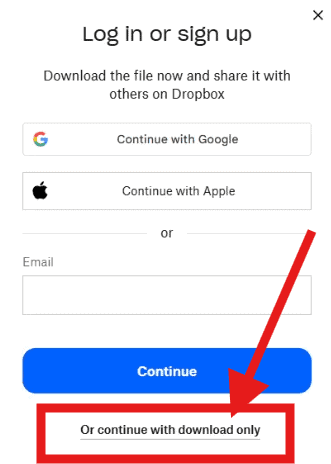
- If, for any reason, you can’t clear the sign in pop-up, then there is likely a cookie issue. Opening the link in a private/incognito tab is the easiest way to work around this without losing things like your saved login sessions.
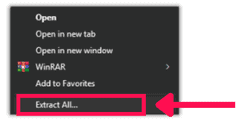
- Once you have the Dropbox folder open, there are options at the top of the page to bulk Download everything at once. This will download everything as a ZIP file, so be sure to right-click the file > Extract all…
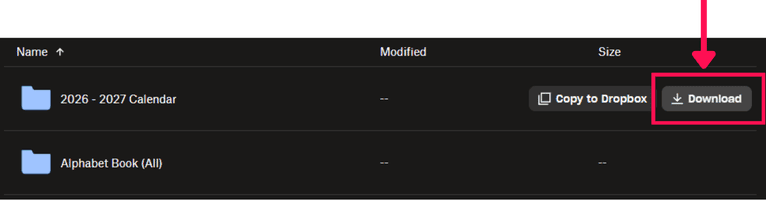
- Or you can hover over any item and click the Download button that appears if you prefer to only download what you need and download the rest later.
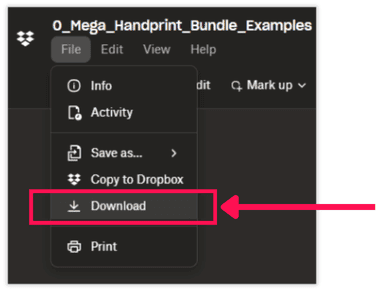
- If your Dropbox link goes directly to a file. You can download it by clicking on the top left menu File > Download.