This tutorial shows you how to print PDF pages onto a different page size compared to the original. This can be useful if you downloaded a US Letter-sized PDF that you want to print on A4, for example.
- Open your PDF in the free version of Adobe Acrobat Reader (How to install on PC here)
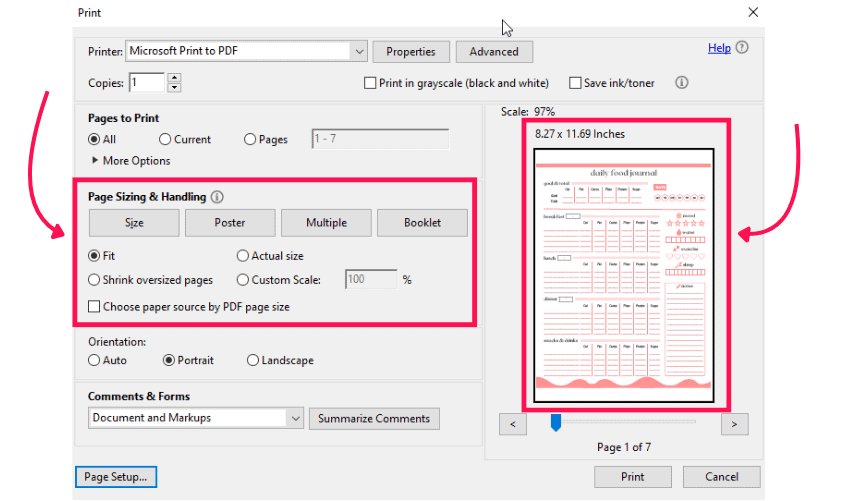
- Click on File > Print from the menu in the top right-hand corner
- Select your printer from the dropdown menu at the top
- Make sure Size is selected
- Untick Choose paper source by PDF page size
- You can then either select Fit and Adobe will try to fit the page to your paper size, or you can click Custom Scale to shrink the page to fit on your paper.
- Use the preview on the right to get an idea of what the print will look like and test print a page before printing several pages to ensure you\’re happy with the result